CarPlay for BMW: A Complete Retrofit Guide

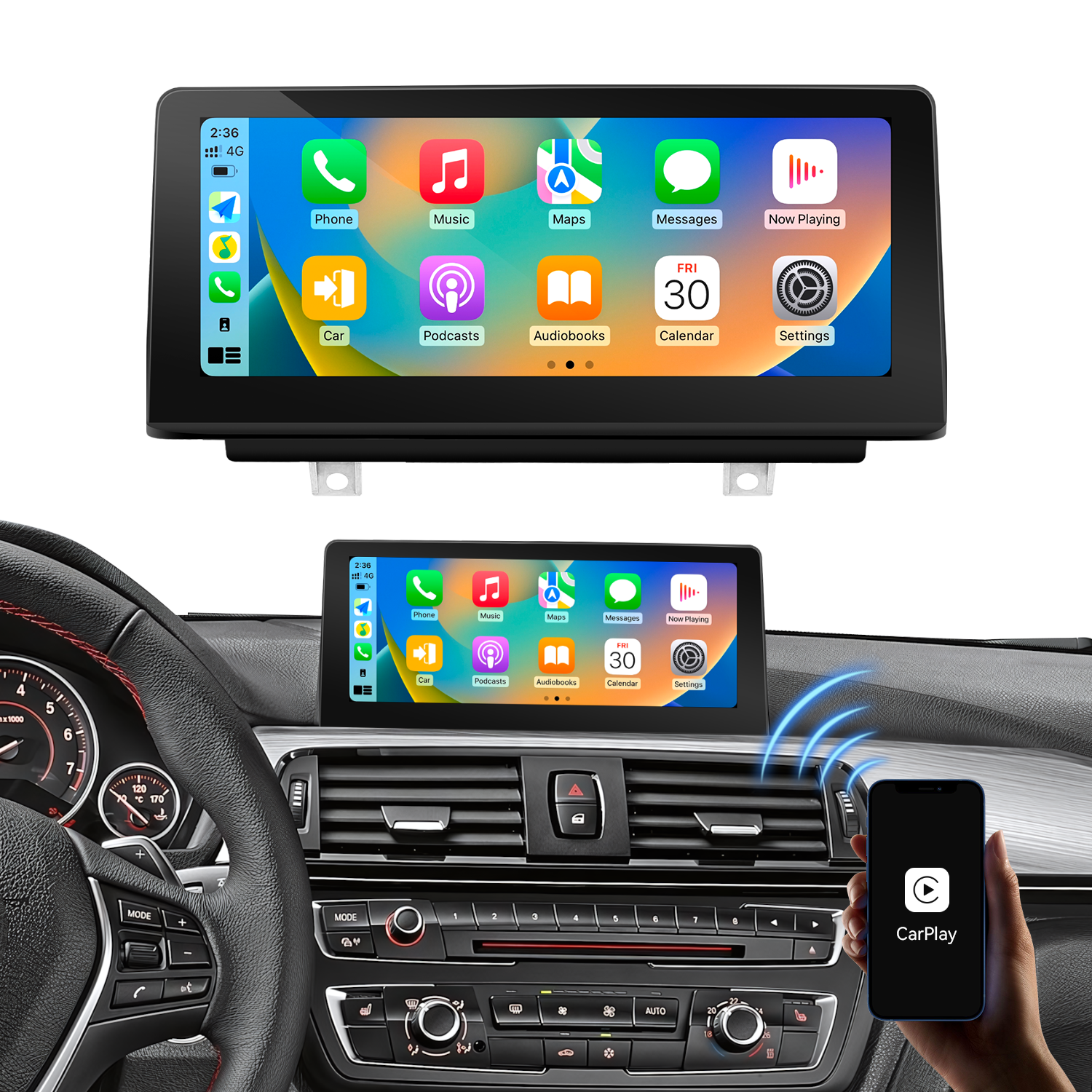
BMW’s original iDrive system remains one of the better factory infotainment platforms, but many older BMW models lack Apple CarPlay and Android Auto. Even when the factory display, controller and audio system still work well, drivers may want easier access to Google Maps, Waze, Spotify, calls and voice control.
A CarPlay for BMW retrofit can add these functions without replacing every part of the factory system. Depending on the vehicle, the upgrade may use a CarPlay decoder connected to the original screen or a replacement Linux screen with built-in CarPlay and Android Auto.
Choosing between these solutions requires more than checking the vehicle’s production year. The BMW model, factory iDrive generation, screen size, connector type and existing options must all be considered. This guide explains the main BMW systems, available retrofit methods and the information needed to select a compatible product.
Understanding BMW CCC, CIC, NBT and EVO Systems
BMW used several generations of iDrive hardware across the 1 Series, 3 Series, 5 Series, X Series and other model lines. Correctly identifying the factory system is one of the most important steps in any BMW retrofit CarPlay project.
Production years can provide an initial indication, but they should not be treated as the only compatibility test. BMW introduced systems at different times across models and markets, and some vehicles were produced during transition periods.
BMW CCC
CCC, or Car Communication Computer, is commonly found in earlier iDrive-equipped BMW vehicles from the mid-2000s. It usually has an older menu design and lower-resolution display than later systems.
Typical applications can include earlier versions of:
BMW 1 Series E81, E82, E87 and E88
BMW 3 Series E90, E91, E92 and E93
BMW 5 Series E60 and E61
BMW X5 E70
BMW X6 E71
CCC vehicles can often be upgraded using a compatible CarPlay decoder or replacement screen. However, the interface, wiring and display signal differ from those used by CIC and NBT systems. A product described only as “for BMW” is not automatically compatible with a CCC vehicle.
BMW CIC
CIC, or Car Information Computer, replaced CCC in many BMW models. It normally has a newer menu layout, improved graphics and better processing performance.
CIC appeared across many late E-series and early F-series vehicles. Depending on the vehicle configuration, it may use different screen sizes and connectors. This makes it important to confirm both the CIC system and the original display configuration before ordering.
For customers who want to retain the factory screen, a CIC-compatible CarPlay decoder is often a practical option. Drivers who also want a larger touchscreen may prefer a Linux replacement display.
BMW NBT
NBT, or Next Big Thing, was introduced on many F-series BMW vehicles. It brought a faster iDrive experience, revised menus and improved multimedia capabilities.
NBT is frequently found in vehicles such as certain versions of the:
BMW 1 Series F20 and F21
BMW 2 Series F22 and F23
BMW 3 Series F30, F31
BMW 4 Series F32, F33
BMW 5 Series F10 and F11
BMW X3 F25 and X4 F26
NBT vehicles are popular candidates for wireless CarPlay upgrades. Both decoder boxes and replacement screens are available, but the correct product must match the original head unit and display connection.
BMW EVO
NBT EVO is a newer development of the NBT platform and appears in later F-series and early G-series vehicles. It includes several software and hardware versions, so similar-looking menus do not always indicate identical compatibility.
Some EVO-equipped vehicles already support factory CarPlay or may support an OEM-style activation method. Others require additional hardware. Before installing an aftermarket solution, confirm whether CarPlay is already present, can be activated through the factory system, or requires a hardware interface.
BMW Retrofit CarPlay: Decoder or Replacement Screen?
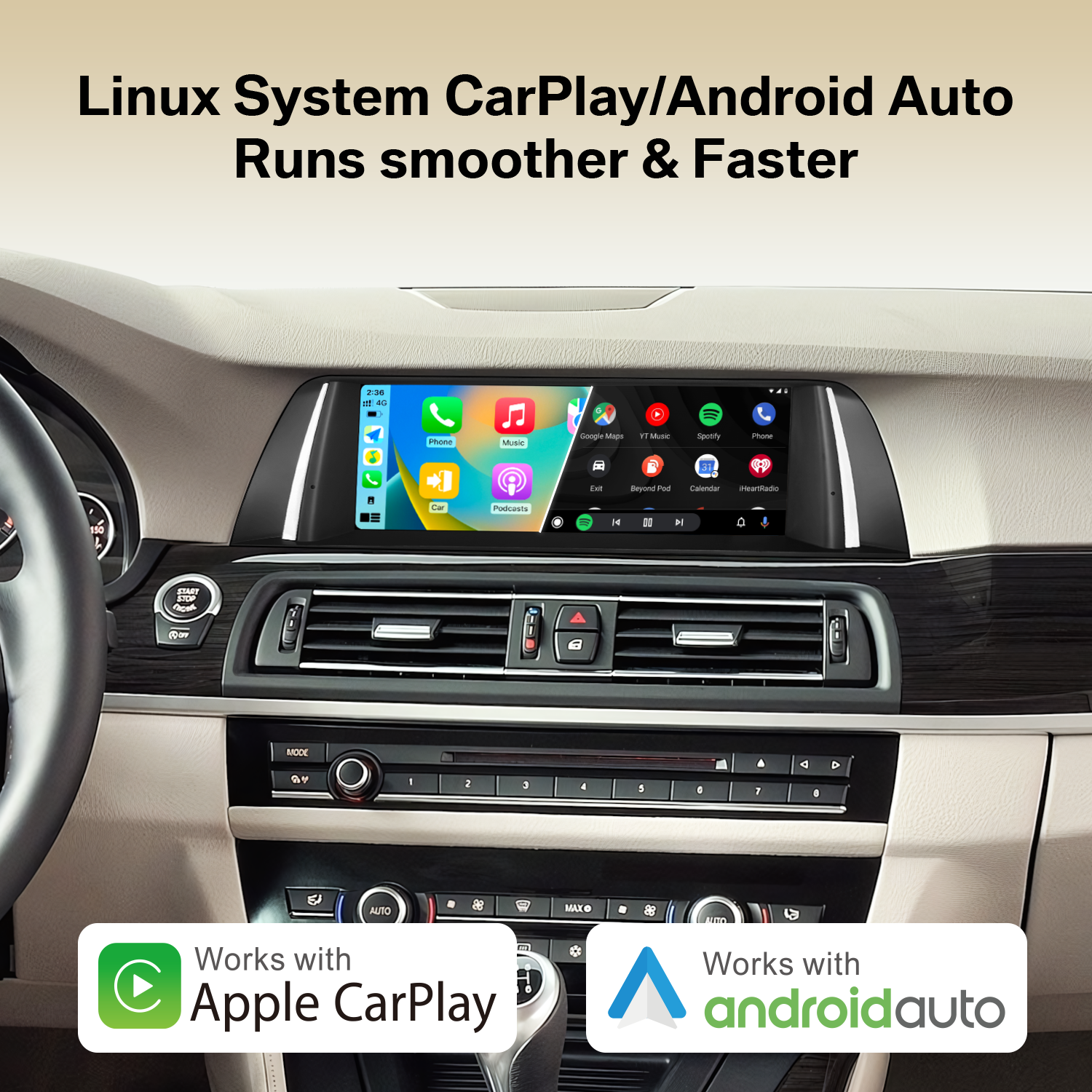
The two main hardware approaches are a CarPlay decoder and a replacement screen. Both can add smartphone connectivity, but they serve different requirements.
CarPlay Decoder
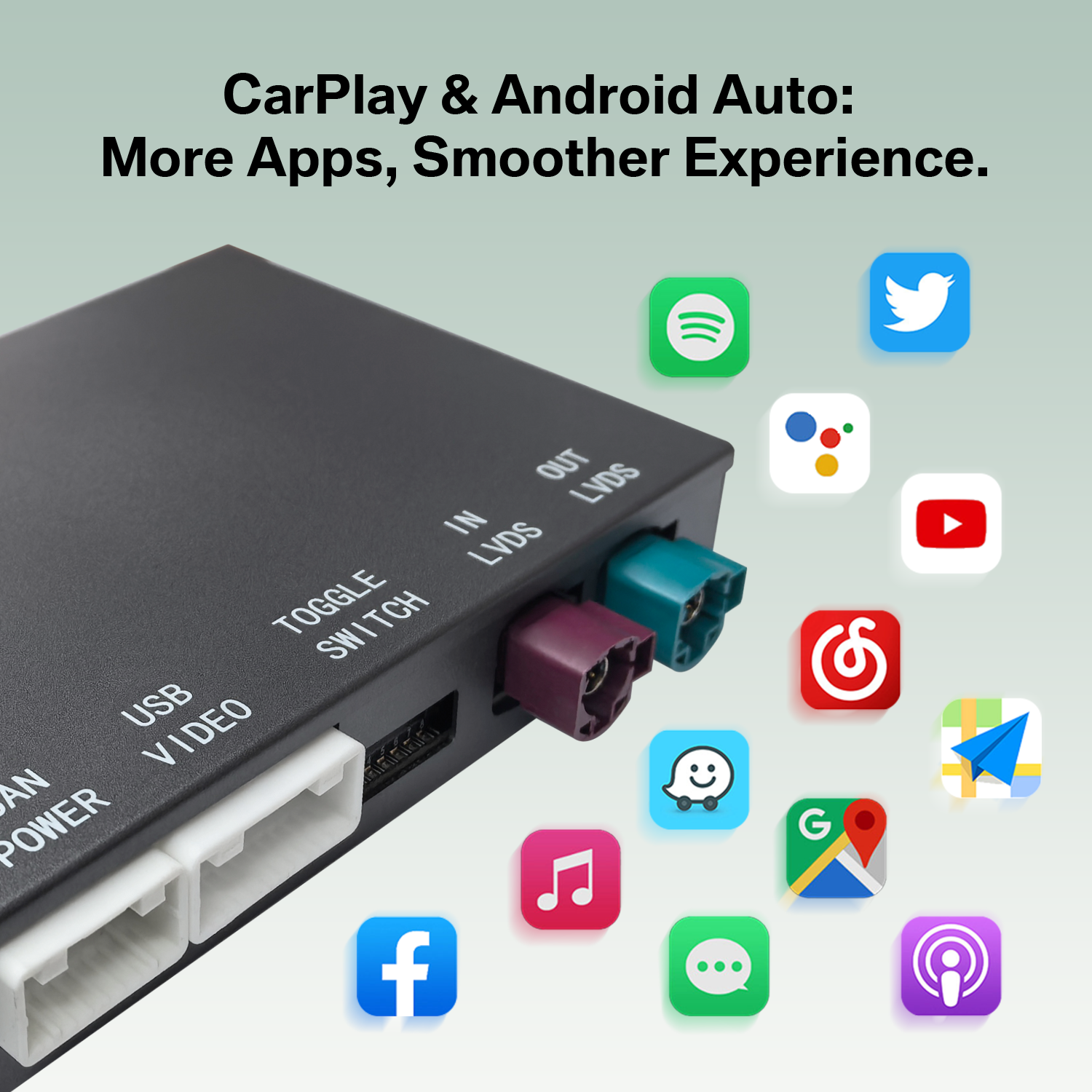
A decoder is installed between the original BMW head unit and factory display. It adds a separate CarPlay and Android Auto interface while retaining the original screen.
This solution is generally suitable when:
The factory display is in good condition
The customer wants to preserve the original dashboard appearance
CarPlay and Android Auto are the main required features
The installer wants to avoid replacing the entire display
The project has a more controlled budget
A wireless CarPlay adapter for BMW in this category should not be confused with a simple USB dongle. Many older BMW vehicles do not have factory wired CarPlay, so a USB adapter alone cannot add complete CarPlay functionality. These vehicles require an interface designed to work with the BMW head unit, screen and control system.
Linux Replacement Screen
A Linux replacement screen substitutes the original BMW display with a larger or updated screen. The factory head unit usually remains in the vehicle, while the new screen provides CarPlay, Android Auto and its own interface.
This solution is often selected when:
The customer wants a larger display
Touchscreen operation is preferred
The original screen is damaged, small or outdated
A more visible interior upgrade is required
The vehicle will be marketed as a premium retrofit package
A Linux screen focuses on core in-car functions and smartphone integration. It should not be assumed to provide the same app installation environment as an Android head unit. Buyers should verify the actual supported functions rather than relying only on the appearance of the user interface.
Decoder vs Replacement Screen Comparison
Comparison point | CarPlay decoder | Linux replacement screen |
|---|---|---|
Cost | Usually the more economical option because the original screen is retained | Usually costs more because a new display is included |
Installation complexity | Requires access to the factory head unit and connection of the interface and harness | Requires removal of the original display as well as head-unit connections |
Factory appearance | Keeps the original BMW display and dashboard appearance | Changes the visible display, usually with a larger screen |
Factory-function retention | Designed to work alongside the original iDrive system when correctly matched and installed | Can retain access to the original system, but compatibility must be confirmed for the specific configuration |
Touch operation | Depends on the original screen and product design; many factory screens are controlled through iDrive | Commonly selected when touchscreen control is required |
Best use case | Adding CarPlay while keeping the original display | Combining CarPlay with a display-size or touchscreen upgrade |
Typical buyer | Owners seeking a discreet upgrade and installation shops offering standard CarPlay packages | Owners wanting a larger visual upgrade and shops offering premium retrofit packages |
Neither solution is automatically better for every BMW. The decoder is usually the more efficient choice when the original display is satisfactory. A replacement screen provides greater visual change but requires closer attention to screen fitment, dashboard design and factory-system compatibility.
Which Original BMW Functions Can Be Retained?
A properly matched CarPlay for BMW retrofit is designed to work alongside the original vehicle system rather than remove it. The exact result depends on the vehicle, product and installation, but several factory controls can normally be retained when the correct solution is used.
Steering-Wheel Controls
Compatible systems can allow the driver to use existing steering-wheel buttons for functions such as volume adjustment, track selection or voice-control access. Button behavior may vary depending on the factory configuration and installed interface.
iDrive Controller
The original iDrive knob can normally remain the main control device for vehicles without a factory touchscreen. Drivers can rotate, press or move the controller to navigate the CarPlay or Android Auto interface.
This is particularly useful for a decoder installation because it preserves the familiar BMW control method. Replacement touchscreen users may still use the iDrive controller in addition to touch operation, depending on the product.
Factory Reversing Camera and Parking Display
A compatible retrofit can retain the factory reversing-camera display and parking information. When reverse gear is selected, the system should switch away from CarPlay and show the relevant factory view.
Vehicles with aftermarket cameras or unusual factory configurations may require different connections. Installers should confirm whether the vehicle has an original camera, an aftermarket camera or parking sensors only.
Switching Back to the Original BMW System
The original iDrive menus remain important for vehicle settings, radio functions, service information and other factory controls. Retrofit systems therefore provide a way to switch between the added smartphone interface and the original BMW system.
The switching method varies by product and vehicle. It may involve a long press on the MENU button, an iDrive command or an on-screen control. Customers should receive operating instructions for the installed system rather than assume that every interface uses the same command.
How to Choose the Right Solution for Your BMW
Step 1: Record the Exact Vehicle Information
Start with the BMW series, chassis code, model year and production date. “BMW 3 Series” alone is not enough because the E90, F30 and G20 use different electronics and display architectures.
For example, a search for Apple Car Play for BMW 3 Series may refer to several completely different vehicles. A product for an E90 CCC system will not necessarily work with an F30 NBT system.
Step 2: Identify the Factory iDrive System
Use the menu design, head-unit label, VIN information or connector photographs to determine whether the vehicle uses CCC, CIC, NBT or EVO. If there is uncertainty, send clear photographs of:
The main iDrive menu
The original screen
The center-console controller
The head-unit connections, if accessible
The vehicle identification or production information
Do not select a system solely from the registration year. Model and system transitions can overlap.
Step 3: Decide Whether the Original Screen Should Be Retained
Choose a decoder when the factory screen works well and the main objective is to add wireless CarPlay or BMW Android Auto.
Consider a replacement Linux screen when the customer wants:
A larger display
Touch operation
A more modern dashboard appearance
A replacement for a damaged or outdated screen
Step 4: Check the Existing Vehicle Options
Compatibility can also be affected by the original screen size, AUX audio availability, factory amplifier, reversing camera and other equipment. These details should be confirmed before the product is shipped or the dashboard is disassembled.
General Guidance by System and Period
Likely BMW configuration | Recommended starting point |
|---|---|
Earlier BMW with CCC | Confirm the CCC interface and screen connection; compare a dedicated decoder with a model-specific replacement screen |
Later E-series or early F-series with CIC | Use a CIC-compatible decoder to retain the screen, or a CIC-specific Linux screen for a display upgrade |
F-series BMW with NBT | Consider a wireless decoder for an OEM-style installation or an NBT-compatible replacement screen |
Later vehicle with NBT EVO | First check for existing factory CarPlay or activation eligibility; use aftermarket hardware only after confirming the exact EVO version |
Vehicle without an original screen | A model-specific replacement display may be more suitable than a standard decoder |
These recommendations are starting points, not final fitment decisions. The vehicle’s actual hardware should always be checked.
Frequently Asked Questions
Can CarPlay be added to a BMW that did not have it from the factory?
Yes, many BMW vehicles can be upgraded with a model-specific decoder or replacement screen. Compatibility depends on the BMW model, production period, iDrive system and original equipment.
Does a BMW CarPlay retrofit replace the original iDrive system?
Normally, no. A correctly installed retrofit works alongside the factory system. The driver can enter CarPlay or Android Auto and switch back to the original BMW interface when required.
Can one product support both Apple CarPlay and BMW Android Auto?
Many retrofit solutions support both platforms, but this should be confirmed for the selected product. Wired and wireless support should also be checked separately rather than assumed.
Will the steering-wheel buttons and iDrive controller continue to work?
Compatible products are designed to retain these controls. Actual button functions may differ between vehicle configurations, so installers should test the steering-wheel controls and iDrive controller before completing reassembly.
Is a decoder better than replacing the BMW screen?
A decoder is usually preferable when the original screen is satisfactory and the customer mainly wants smartphone integration. A replacement screen is better suited to customers who also want a larger display or touchscreen operation.
Why does CarPlay connect but produce no sound?
Possible causes include an incorrect audio-source selection, an AUX connection issue, vehicle Bluetooth routing or an installation setting. The correct audio method varies between BMW systems and retrofit products, so installers should follow the wiring and audio instructions supplied with the specific unit.
Get a Compatible CarPlay Solution for Your BMW
The safest way to select CarPlay for BMW is to match the product to the actual vehicle and factory system—not just the model name.
Submit your BMW series, chassis code, model year and a photograph of the original iDrive menu. LEADSIGN AUTOMOTIVE will help identify the CCC, CIC, NBT or EVO configuration and recommend a suitable decoder or Linux replacement-screen solution.
Contact us to receive a BMW compatibility recommendation and product quotation.
See Also
Enhance Your Ride with the Best Wireless CarPlay Adapters
Find the Perfect CarPlay Converter for You